Skip to content

New: for neo-studios

The Hybrid Filmmaking Pro Tools

Shoot what you can. Finish the rest with Seedance.

Seven tools that start from footage you already have and keep what matters in it: the performance, the camera move, the cut. Four make the shots you didn’t get. Three change the ones you did.

Sign up with just your email. Every tool shows what a run costs before you start it.

How a run goes

  1. Bring what you shot

    A take against a plain wall, a clip of the scene, one photo, or an ad that already works. Each tool says what it needs.

  2. Say what changes

    A set, a costume, a new face, the insert you need, a camera move. Choose the length and the resolution, and see the total before you start.

  3. Cut it in

    The result comes back as a clip matched to your footage, ready for the edit. It stays in the tool’s history for seven days.

Shoot

Make the shots you didn’t get on the day.

YoursResult
An example run. A take shot against a dark backdrop, finished in a Hong Kong kitchen at night with her own face, every expression and every finger.

Soliton

Turn a wall take into the scene.

Film your actor on a plain wall. Soliton builds the set and the costume around the take and keeps their real face, every expression, blink and finger movement, exactly as they played it.

You give

  • Your take
  • A headshot
  • The set
  • The costume
  • Scene notes
720p
$0.29/s
1080p
$0.72/s

+ $0.90 a run

Open Soliton
YoursResult
An example run. A five-second stock take, given to a different actor in a farmhouse kitchen: the same plea, beat for beat, with one line of intent.

Exciton

Give one take to another actor.

Anyone can perform the take: a stand-in, the director or a stock clip. Exciton gives it to your actor in your set, playing the same beats with the same timing, eye line and rhythm of speech.

You give

  • The take
  • Your actor
  • The set
  • Scene notes
720p
$0.29/s
1080p
$0.72/s

+ $0.61 a run

Open Exciton
YoursResult
An example run. An insert, made from a clip of the scene.

Gluon

Make the shot your edit is missing.

Describe the insert or cutaway you need. Gluon makes it from a clip of the scene, with the same clothes, props, light, colour and grain, ready to cut in.

You give

  • A clip of the scene
  • The shot, in words
480p
$0.11/s
720p
$0.24/s
1080p
$0.60/s

+ $0.75 a run

Open Gluon
The photo: a model posing in a studio
YoursResult
An example run. One photo. A quarter orbit.

Orbiton

Add a precise camera move to a photo.

Turn one photo into a shot with the camera move you choose: orbit, push in, rise, track, dolly zoom and more, with the amount and pace you set, or Auto to let Orbiton pick.

You give

  • One photo
  • The move
480p
$0.13/s
720p
$0.29/s
1080p
$0.72/s

+ $0.32 a run

Open Orbiton

Edit

Change what you already shot.

YoursResult
An example run. The same take and the same actor, moved to the back room of a 1920s jazz club by one reference image and one sentence.

Double Capsule

Change the scene, keep the actor.

Move a shot you already filmed to a new location, light, season or weather. The actor, the performance and the camera move stay as you shot them.

You give

  • Your shot
  • One reference image
  • One sentence
480p
$0.13/s
720p
$0.29/s
1080p
$0.72/s

+ $0.30 a run

Open Double Capsule
YoursResult
An example run. A new lead in a film scene from one photo. Every look, lip movement and camera move stays.

Charm Collider

Put a new face in the shot.

Recast a shot from one photo, or put your lead's face on a stand-in. Every move, expression, lip movement and camera move of the original stays.

You give

  • Your clip
  • One photo
480p
$0.13/s
720p
$0.29/s
1080p
$0.72/s

+ $0.30 a run

Open Charm Collider
YoursResult
An example run. A coat film, rebuilt around a new coat.

Antiquark

Put your product in a proven ad.

Rebuild an ad, fashion film or product reel that already works. Antiquark keeps every shot, cut, camera move and the music, and puts your product in, true to its details.

You give

  • The ad
  • Your product photo
  • What to replace
480p
$0.13/s
720p
$0.29/s
1080p
$0.72/s

+ $0.60 a run

Open Antiquark

What a run costs

Two things, and nothing else: the footage Seedance makes, by the second, and a flat amount for the tool’s other steps. Both come out of the funds in your account.

  • Footage counts by the second, at the resolution you choose. A longer shot costs more; a lower resolution costs less.
  • Where a tool works from your clip, your clip’s seconds count as well as the new shot’s. Orbiton counts its camera guide the same way.
  • Each tool’s page adds it up for your clip, length and resolution before you press Generate.
  • Each step is charged as it finishes. If a step fails, the steps before it are still charged, and nothing after it is.
A 5-second shot, every step includedRounded up to the cent. Longer and shorter shots scale by the second.
Tool480p720p1080p
SolitonNot offered$2.37$4.50
ExcitonNot offered$2.07$4.21
Gluon$1.30$1.98$3.77
Orbiton$0.97$1.78$3.92
Double Capsule$0.96$1.77$3.90
Charm Collider$0.96$1.77$3.90
Antiquark$1.26$2.07$4.20

Good to know

What do I need?
An account with funds in it, and the footage the tool asks for: Soliton wants a take against a plain wall, Gluon a clip of the scene, Orbiton one photo, and the Edit tools a clip you already have.
How long does a run take?
Minutes, not seconds: each tool runs several steps, one after another. The run carries on if you leave the page, and its result appears in the tool’s history.
Whose footage and faces can I use?
Only footage, photos and faces you have the right to use. Soliton keeps your actor’s own face and Charm Collider puts a real person’s face into a shot, so get their permission first.
What if a run fails?
The run stops at the step that failed and says why. The steps that finished before it are still charged, so check your clip and your notes before a long or 1080p run.

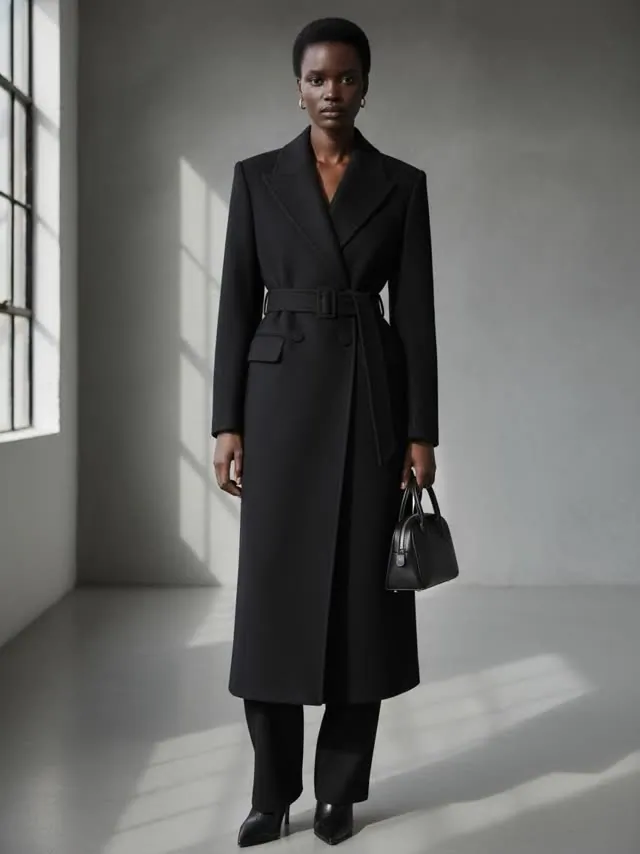
Bring a take. Leave with the scene.

Start from the footage you already have. Every tool shows what a run costs before you press Generate.

Get startedPick a tool